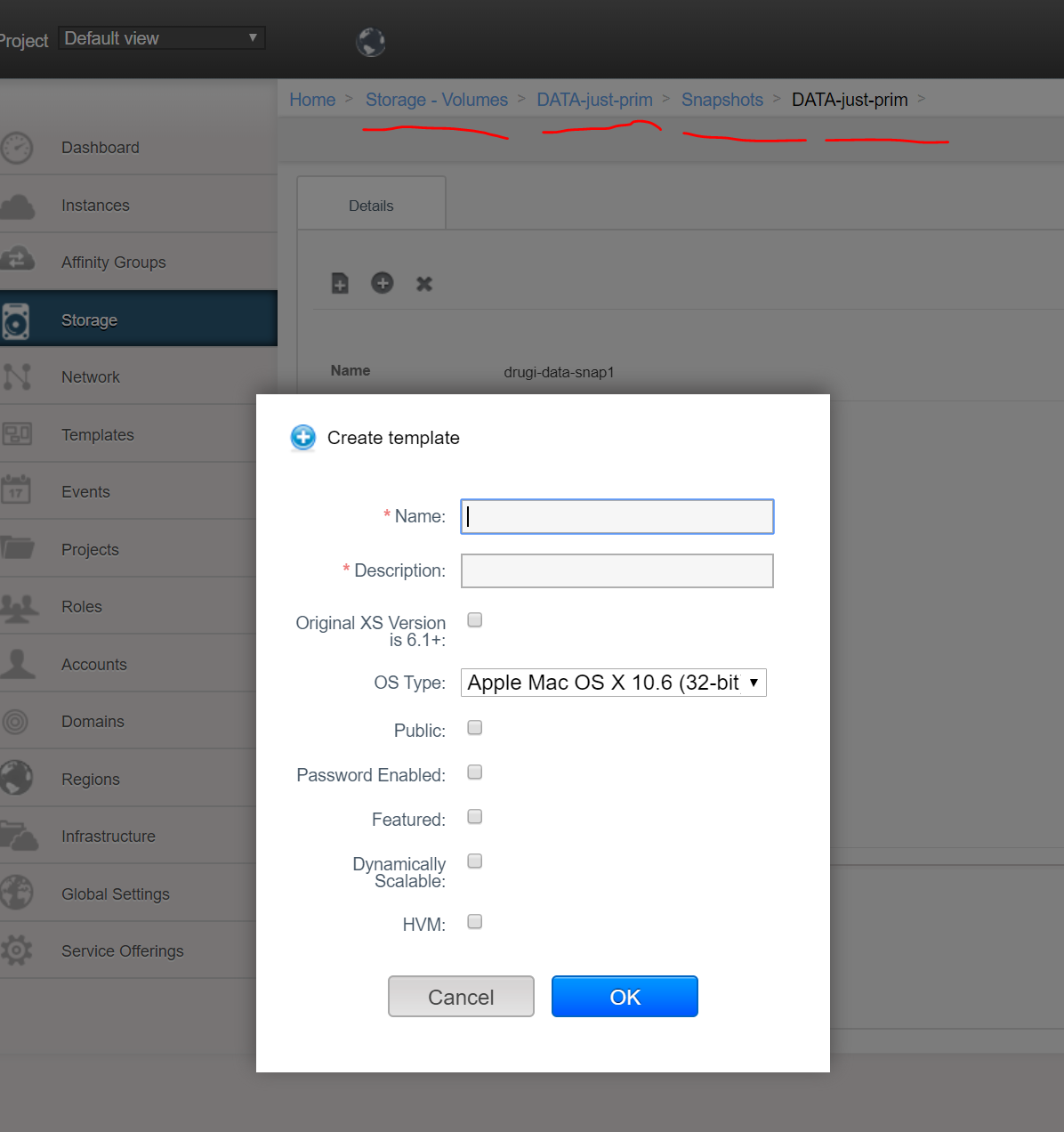
If you go to STORAGE (main section menu on the left), then select VOLUMES from the dropdown list, select a particular volume, than see snapshots, then select a snaphost - then clicking on button WILL work fine and popup window is show as follows:
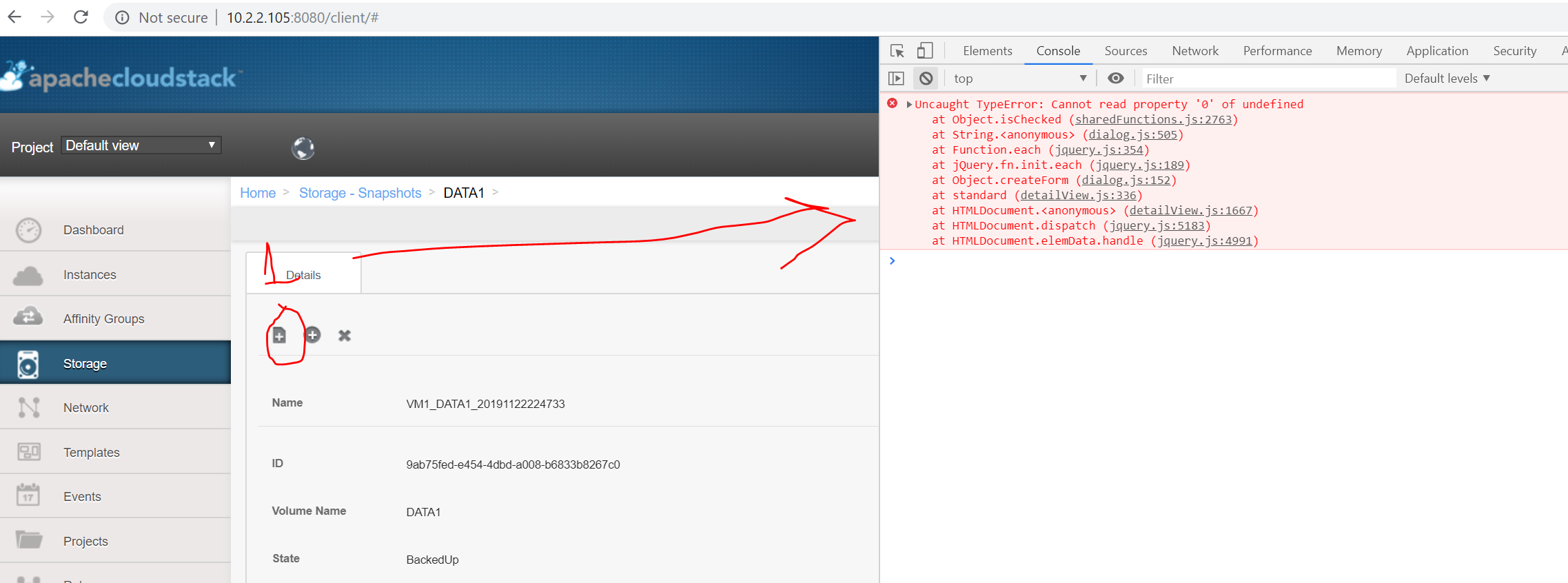
But if you go to STORAGE (main section menu on the left), then select SNAPSHOTS from the dropdown list and find one and click the button - then an exception happens in the javascript code:
ISSUE TYPE
COMPONENT NAME
CLOUDSTACK VERSION
CONFIGURATION
OS / ENVIRONMENT
SUMMARY
STEPS TO REPRODUCE
EXPECTED RESULTS
ACTUAL RESULTS

If you go to STORAGE (main section menu on the left), then select VOLUMES from the dropdown list, select a particular volume, than see snapshots, then select a snaphost - then clicking on button WILL work fine and popup window is show as follows:

But if you go to STORAGE (main section menu on the left), then select SNAPSHOTS from the dropdown list and find one and click the button - then an exception happens in the javascript code:

ISSUE TYPE
COMPONENT NAME
CLOUDSTACK VERSION
CONFIGURATION
OS / ENVIRONMENT
SUMMARY
STEPS TO REPRODUCE
EXPECTED RESULTS
ACTUAL RESULTS